
OPEN SOURCE · APACHE 2.0 · MCP
Bagel.
Ship robots,
not terabytes.
Ask your data. Keep what matters. Query robotics, drone and IoT data in plain English. Every answer is deterministically computed, not guessed by a model. Promote a question into an edge pipeline that keeps the seconds that matter.
You askbundled PX4 sample
> What was the lowest battery voltage on this flight, and when?
Bagel runs · shown to youDuckDB
SELECT min(b.voltage_v) AS min_v,
       max(b.voltage_v) AS max_v,
       arg_min(timestamp_seconds, b.voltage_v)
         - min(timestamp_seconds) AS min_at_s
FROM "battery_status_0" AS b;Answer209 samples
21.07 V at +4.8 s
down from 24.64 V at the start of the log.
Or no LLM at allpx4 image · demo
sample.ulg - 41.5s, 2018 messages, 77 topics

Power      ⚠  min 21.07V, largest drop 2.37V at ~t=+4.8s
IMU        ✓  accel_z stddev 1.6x baseline at ~t=+36.8s
GPS        -  skipped: no GPS topic
Data gaps  ✓  no gap > 1.05x median interval
You askbundled ROS logs · no bag needed
> Read the WARNs and ERRORs from data/sample/ros/log and tell me what went wrong.
Bagel readsread_loggings
| t | Node | Message |
|---|---|---|
| 10.5 s | talker | WARN Publish rate degraded to 4.2 Hz |
| 15.5 s | /move_base | WARN Costmap missed its 5.0 Hz rate |
| 20.2 s | talker | ERROR Failed to publish: buffer full (traceback) |
| 21.0 s | /move_base | ERROR No valid plan, aborting |
| 25.2 s | talker-1 | ERROR Process died, exit code -6 |
What went wrongtracebacks included
The talker slowed, filled its buffer and died.
Its publish rate fell to 4.2 Hz at 10.5 s, its buffer overflowed at 20.2 s, and the process exited with code -6 at 25.2 s. The planner lost its costmap rate and aborted in the same window.
Thenlogs to data
> Keep 30 seconds either side of the first ERROR from the bag and drop the rest.
You asksee Bagel work / 001
> Keep 10 seconds either side of every hard brake and drop the rest.
Preview. Events found and seconds kept, before a byte is written.
Run. Once, over a folder of bags, or standing on the robot. Upload the slices to S3, GCS or Azure as a pipeline step.
Resultsynthetic telemetry
Keep the incident.
Drop the hours around it.
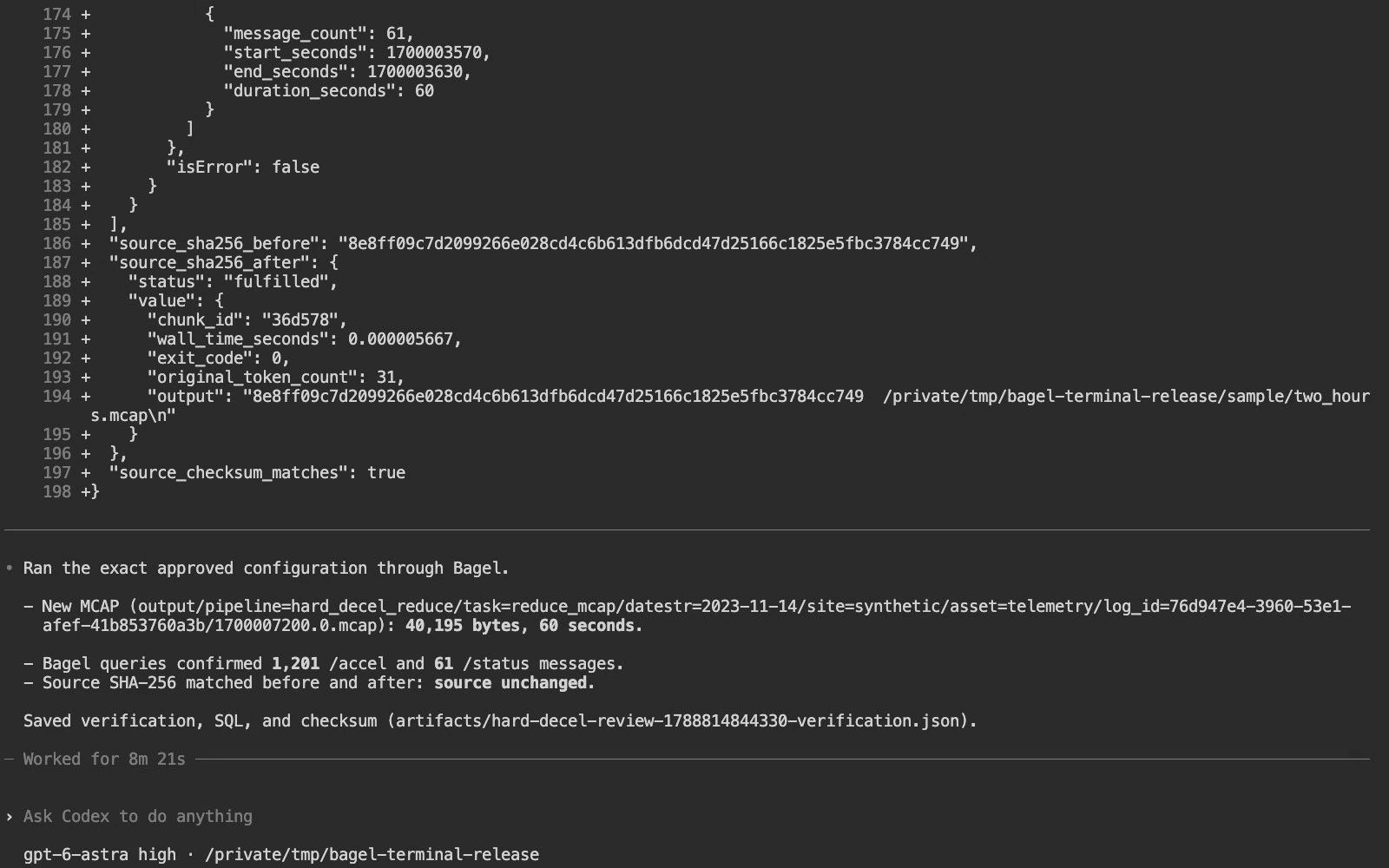
Every message in the selected window survived. The source stayed intact. Watch the actual terminal session →
You asknuScenes scene-0842
> Watch the IMU, odometry and lane. When something looks off, ask Jev what it is, keep that second, and label it.
Bagel learns normal on the robot, screens every window, and asks TypeSafe's Jev to name only what stands out.
Kept and labelled19.5 s in · 2 s out
| Time | Screen | Jev | p |
|---|---|---|---|
| 6.2 s | yaw rate shift, z ≈ 3.1 | swerve | 0.79 |
| 18.6 s | yaw rate spike, z ≈ 7.9 | swerve | 0.91 |
Beta: detection quality is not yet measured on logs with known incidents. Drive from the nuScenes dataset, © Motional, CC BY-NC-SA 4.0.
Every number is
a query you can read.
The model chooses the question. DuckDB computes the answer over your actual messages, and Bagel shows you the SQL.
Deterministic
Numbers come from SQL, not from the model.
DuckDB over an Arrow extract of your messages. Every query is shown.
At the edge
Keep the incident. Drop the hours around it.
Pipelines run on the robot or over each bag, and upload only what they keep.
Your model
Claude Code, Gemini, Codex, Cursor, or fully offline.
Bagel is an MCP server. The LLM never enters your control loop.
Start with your task
Bagel by Extelligence is an open-source MCP server for robotics, drone and IoT data. These guides connect a question to its setup, query and evidence.
Ask it
> Is my IMU sensor overheating?
> What is the correlation between current and voltage in /spot/status/battery_states?
> I think the robot hit a pothole. Check for sudden deceleration on the z-axis.
> Keep 10 seconds either side of every hard brake and drop the rest.
> Run that detector on every flight from now on.
How it works
LLMs are excellent at language and unreliable at arithmetic. Bagel keeps them on the side they are good at, and hands the numbers to a database engine.
01 · Understand the source
Bagel reads metadata and topic list to build a high-level picture: what was recorded, at what rate, in what shape.
02 · Interpret the topics
For detail, Bagel selects relevant topics, interprets their structure, and writes messages to an Apache Arrow file.
03 · Query and audit
DuckDB executes generated SQL against that extract, looping until the question is answered. Every query is visible.
SELECT time_bucket('5s', ts) AS w,
       min(linear_acceleration_z) AS peak_decel
FROM  "/imu/data"
GROUP BY w
HAVING peak_decel < -10
ORDER BY peak_decel;
Clients
Request a client →Bagel is an MCP server - bring your model of choice. Numbers stay deterministic DuckDB SQL regardless of which client you point at it.
Anthropic · the default quickstart client.
Setup ↗Google · command-line Gemini with MCP tool calling.
Setup ↗OpenAI coding agent · MCP-enabled.
Setup ↗The AI code editor · point it at Bagel over SSE.
Setup ↗GitHub Copilot coding agent · MCP-supported.
Setup ↗Local models · fully offline, data never leaves the machine.
Setup ↗Prefer a local model? Fully offline.
Run Bagel with Ollama and your data and your model both stay on the machine. Tool-calling models tiered by RAM - for example qwen3:8b on a 16 GB laptop.
Capabilities
Ask in plain language
QueryNo per-question pandas script. Describe what you want to know and Bagel figures out where to look, across bags, flight logs, live topics, or time-series tables.
Transparent, deterministic math
SQLBagel writes DuckDB SQL over an Apache Arrow extract of your messages. Every query is shown so you can audit it. No black-box LLM arithmetic.
Natural-language pipelines
Edge"Keep 10s around every hard brake, drop the rest." One sentence becomes an auditable pipeline: previewed, then run once, across a fleet, or standing at the edge.
Dockerized environments
DockerOne container per ecosystem: ROS 2 Kilted through ROS 1 Noetic, PX4, ArduPilot, Betaflight, IoT. No local dependency archaeology.
Extensible with POML
POMLTeach Bagel a new capability with a short POML file. It becomes a reusable, shareable trick that works across every supported format.
Live streams
LiveAttach a pipeline to a live ROS or MQTT subscription and it runs as data arrives: record continuously, keep only what matters.
Exports
Hand-offOpen results in Rerun, PlotJuggler or Lichtblick, or export LeRobot training datasets.
Anomaly labels with Jev
BetaLearn normal on the robot, screen every window, and ask TypeSafe's Jev to name what doesn't fit. Runbook ↗
Edge reduction
Read guide →Keep what matters, drop the rest
A robot records more data than you can afford to move. Bagel turns a question into a detector, runs it where the data is recorded, and ships only the windows around real events.
The detector is the same query you previewed interactively. The SQL stays visible, every kept window is logged, and the raw data stays on the robot until you decide otherwise.
Instead of this
| You do this today | Ask Bagel instead |
|---|---|
| ros2 bag info for metadata | "Summarize this bag". Same prompt works on PX4, MCAP, MQTT, Postgres. |
| ros2 topic echo /imu and eyeball values | "What is the peak z-deceleration in /imu, 5s average?" Real SQL: peaks, percentiles, correlations. |
| Scrub PlotJuggler timelines | "Find deceleration under -10 m/s² and cut ±30s snippets". Opens pre-framed in PlotJuggler. |
| rqt_console, or grep ~/.ros/log | "Read the ERRORs from ~/.ros/log". Tracebacks included, no bag needed. |
| A bash loop over 200 bags | "Run this pipeline on every bag in the folder". One pipeline, whole fleet, combined report. |
| scp / aws s3 sync to ship data off robot | Upload to S3, GCS or Azure as a pipeline step, checksum-skipping existing files |
parse_bag_final_v7.py | We need to talk. |
Supported data
Request a format →60 seconds. Go.
Full docs →Prerequisites: Docker Desktop and an MCP-enabled LLM client. Pick the compose service matching your environment: ros2-kilted, ros2-jazzy, ros2-iron, ros2-humble, ros1-noetic, px4, ardupilot, betaflight or iot.
01 · Clone and start Bagel
git clone https://github.com/Extelligence-ai/bagel.git && cd bagel
docker compose run --service-ports ros2-kilted
02 · Connect your client
Wait for the server on port 8000, then register it in a new terminal.
claude mcp add --transport sse bagel http://localhost:8000/sse03 · Prompt
claude

> Summarize the metadata of the ROS2 bag "./data/sample/ros2/mcap".
Documentation
Browse all →Community
Contribute →Bagel is built in the open. The maintainers hang out in Discord and review pull requests publicly. Request a format, report a bug, sharpen the docs, or land a new capability.
Help Bagel get found
Star the repository on GitHub. It takes 10 seconds and helps the project reach more roboticists, drone engineers, and data teams.
Star on GitHub →